Shift Line Items
Reassign individual line items from one sourcing request to another existing one, or spin them off into a brand-new sourcing request.
Last updated 12 October 2026
Who can use this?
Available to Procurement Buyer and Procurement Admin. The move icon only appears on sourcing requests in OPEN state.
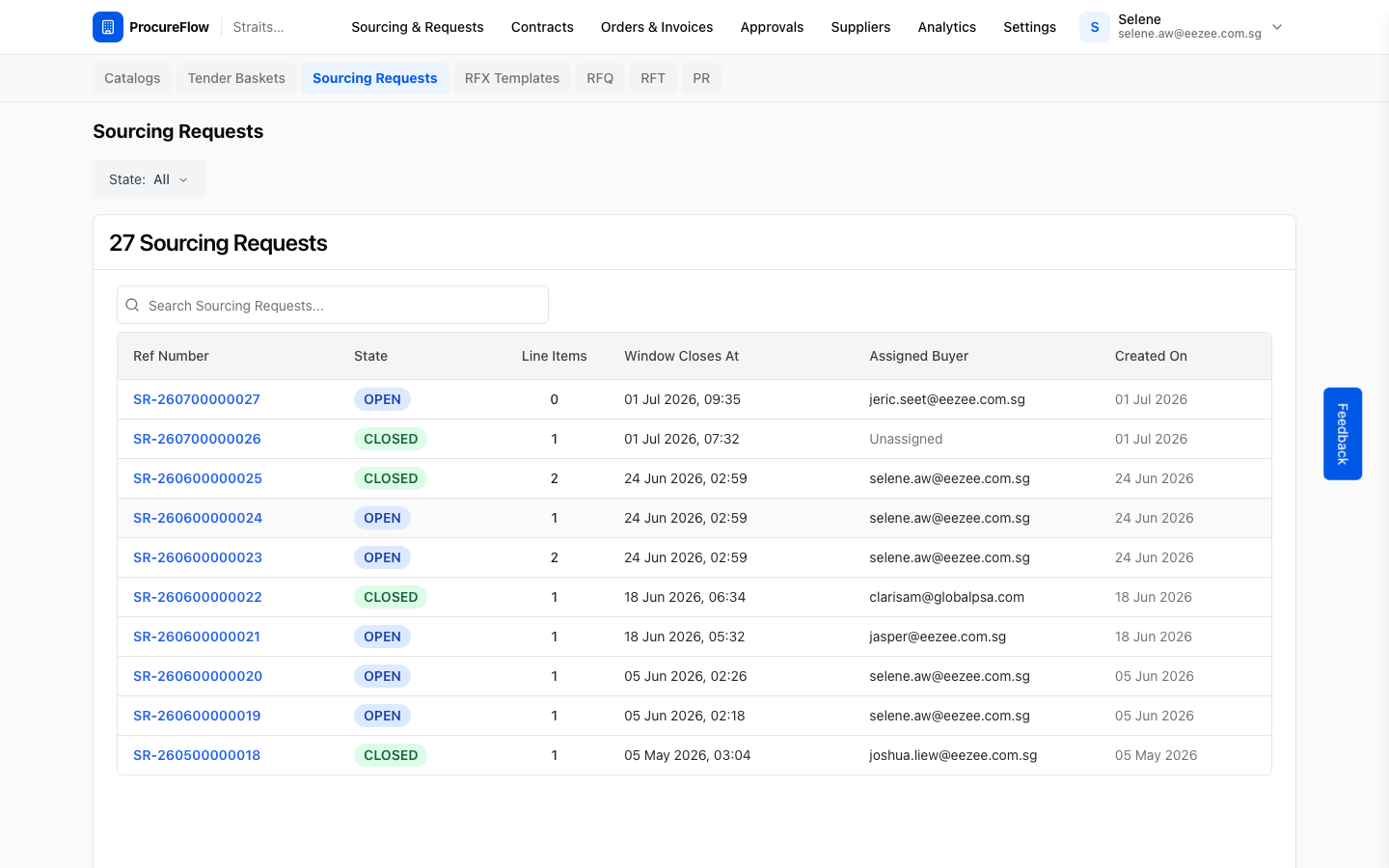
Open the Sourcing Requests list
In the top navigation:
- Go to Sourcing & Requests.
- Click the Sourcing Requests tab.
You will see a paginated list of all sourcing requests for your organisation.
Locate the source sourcing request you want to move line items from.
Open the source sourcing request
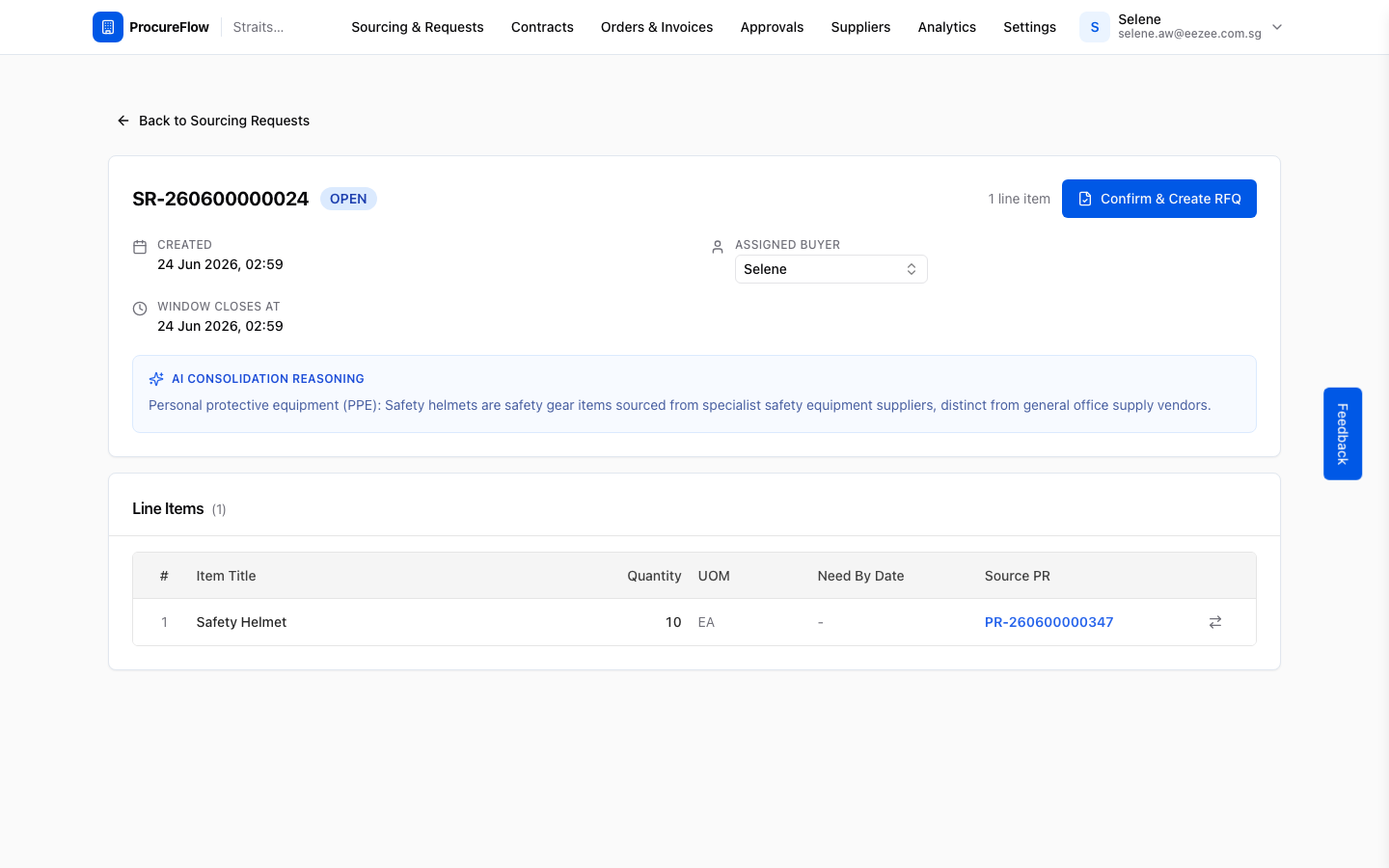
Click the ref number link (e.g. SR-260600000024) to open its detail page.
The header shows:
- The state
- The assigned buyer
- The window close time
- The AI consolidation reasoning that grouped these items together
Click the move icon on the line item
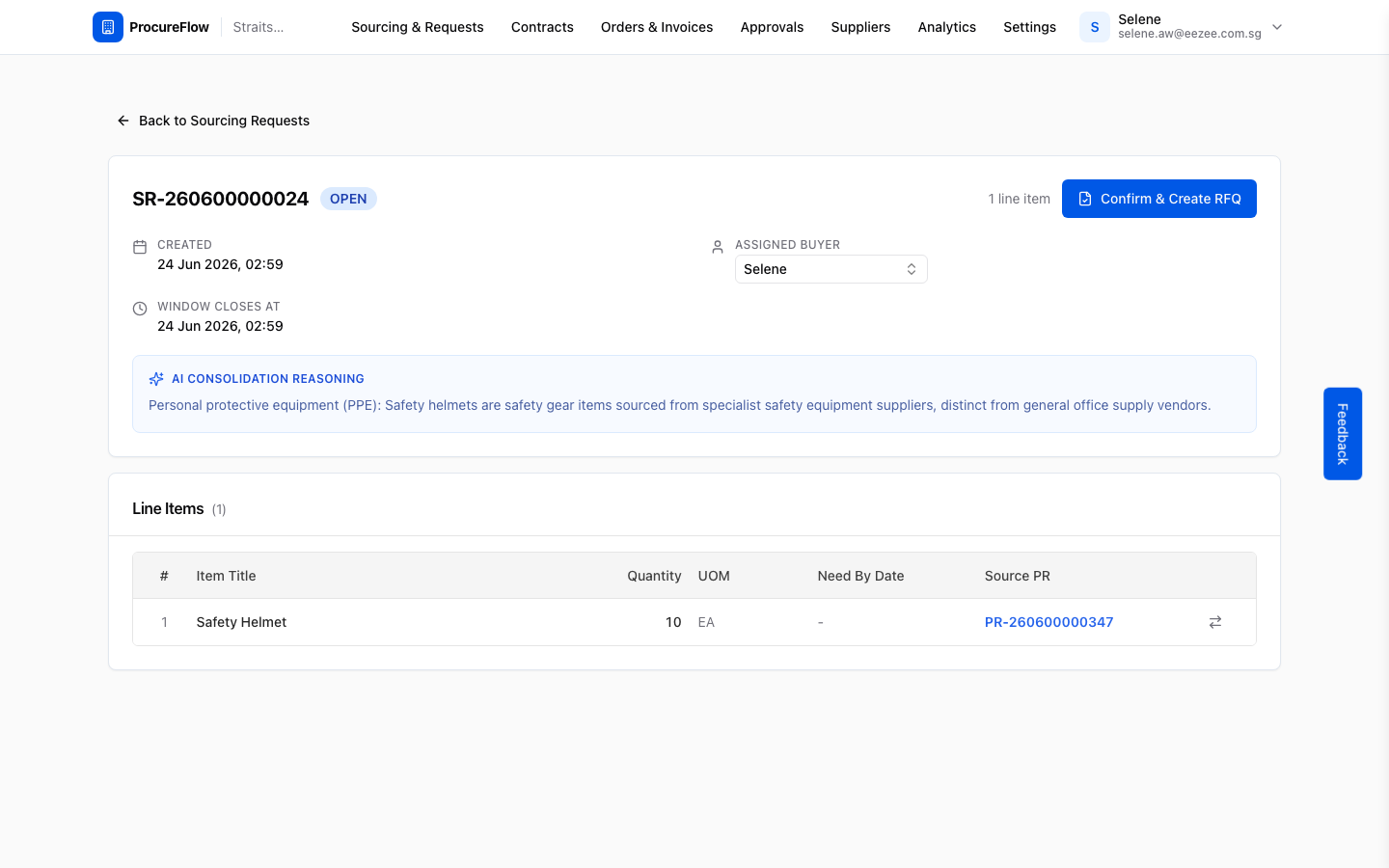
In the Line Items table, each row has a small transfer icon (two opposing arrows) at the far right.
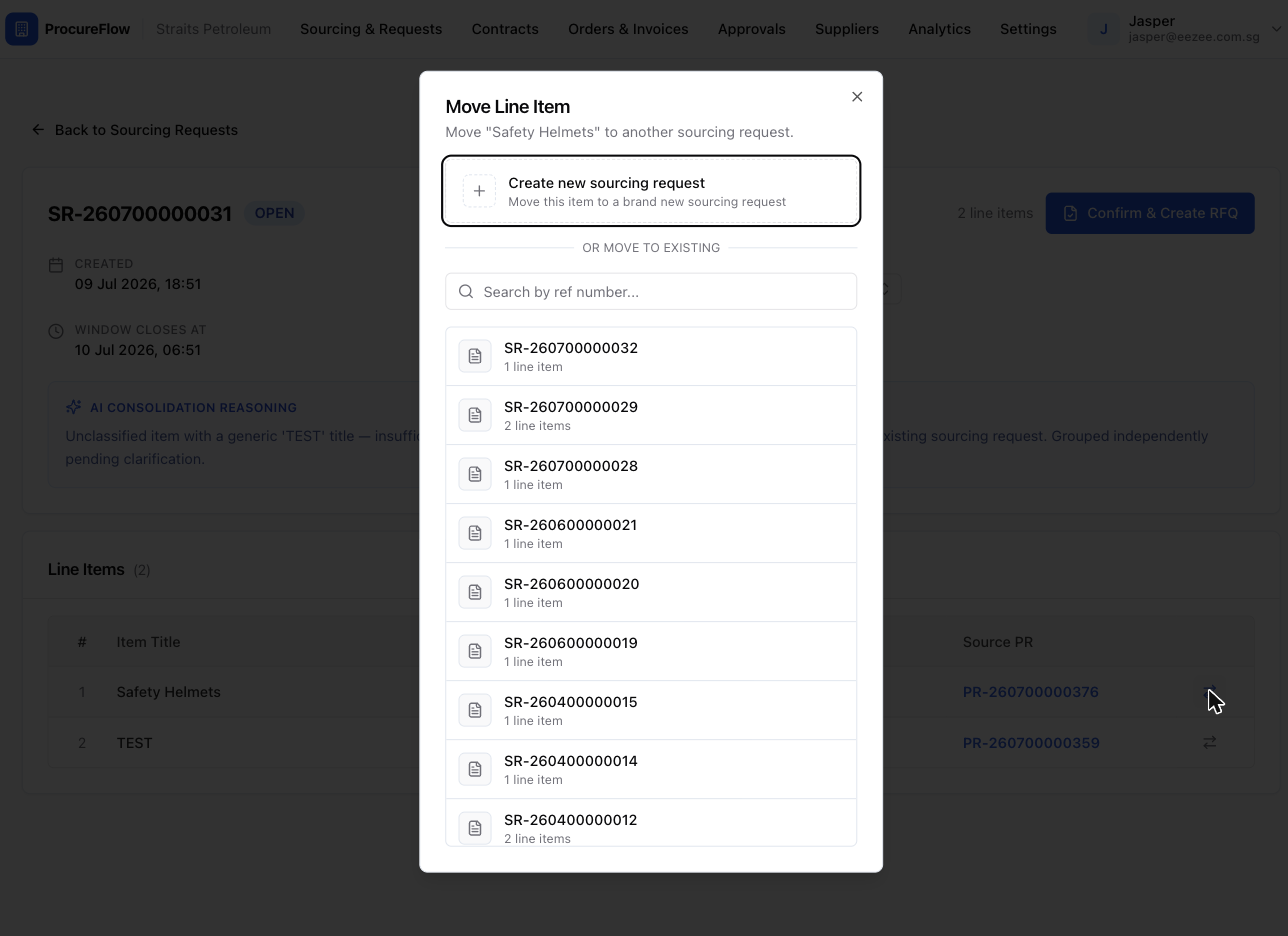
Click it to open the Move Line Item dialog for that row.
Select the target sourcing request
The Move Line Item dialog lists all other OPEN and DRAFT sourcing requests in your organisation.
- Scroll down past the "OR MOVE TO EXISTING" separator to find the destination.
- Click the row for the SR you want to move the item into.
Confirm the move
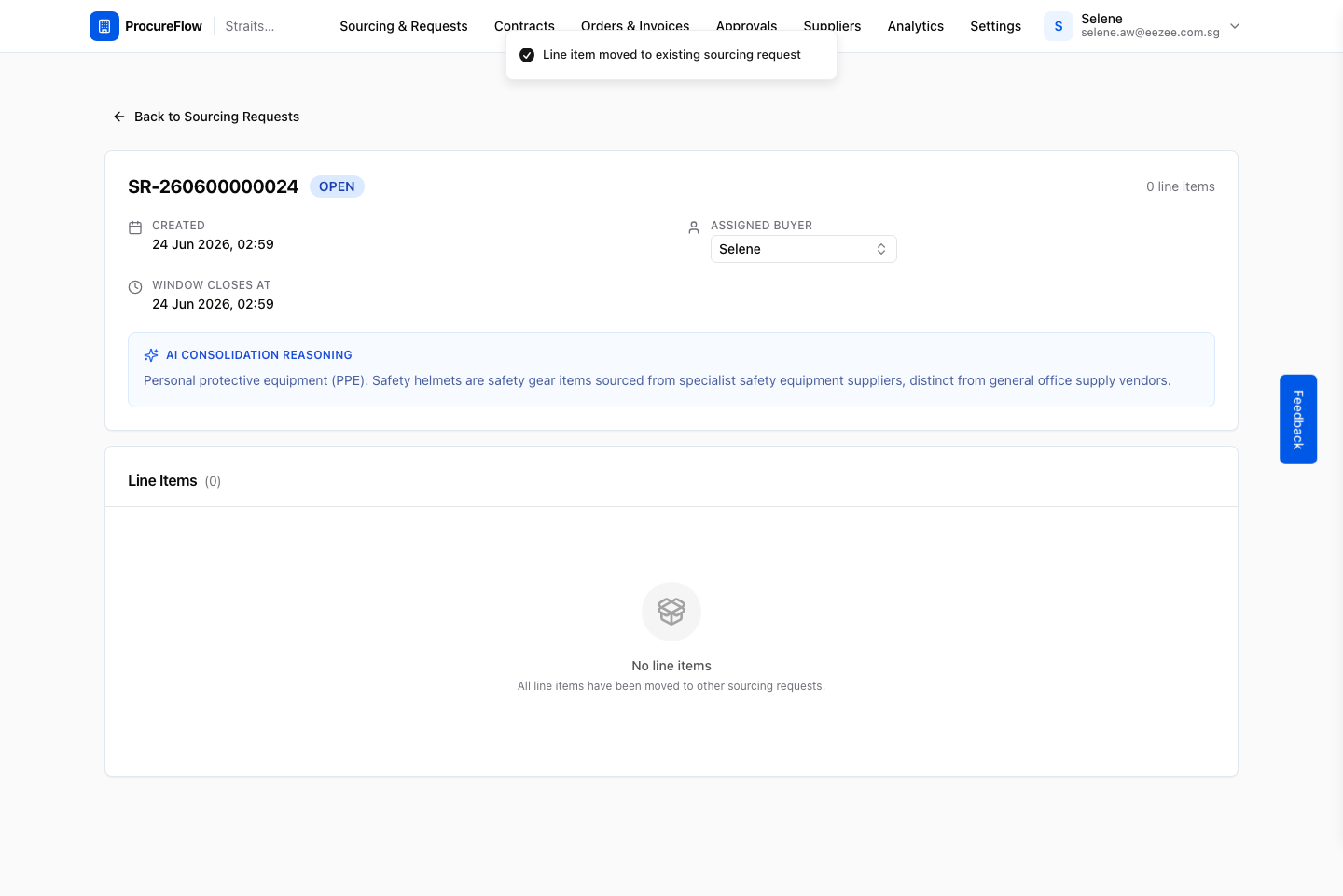
After clicking the target SR, the dialog closes and the page refreshes automatically.
- A success toast confirms "Line item moved to existing sourcing request."
- The line item disappears from the source SR, which now shows 0 line items (or fewer than before).
Click "Create new sourcing request" in the dialog
- Follow steps 1 through 3 above on any OPEN sourcing request with line items.
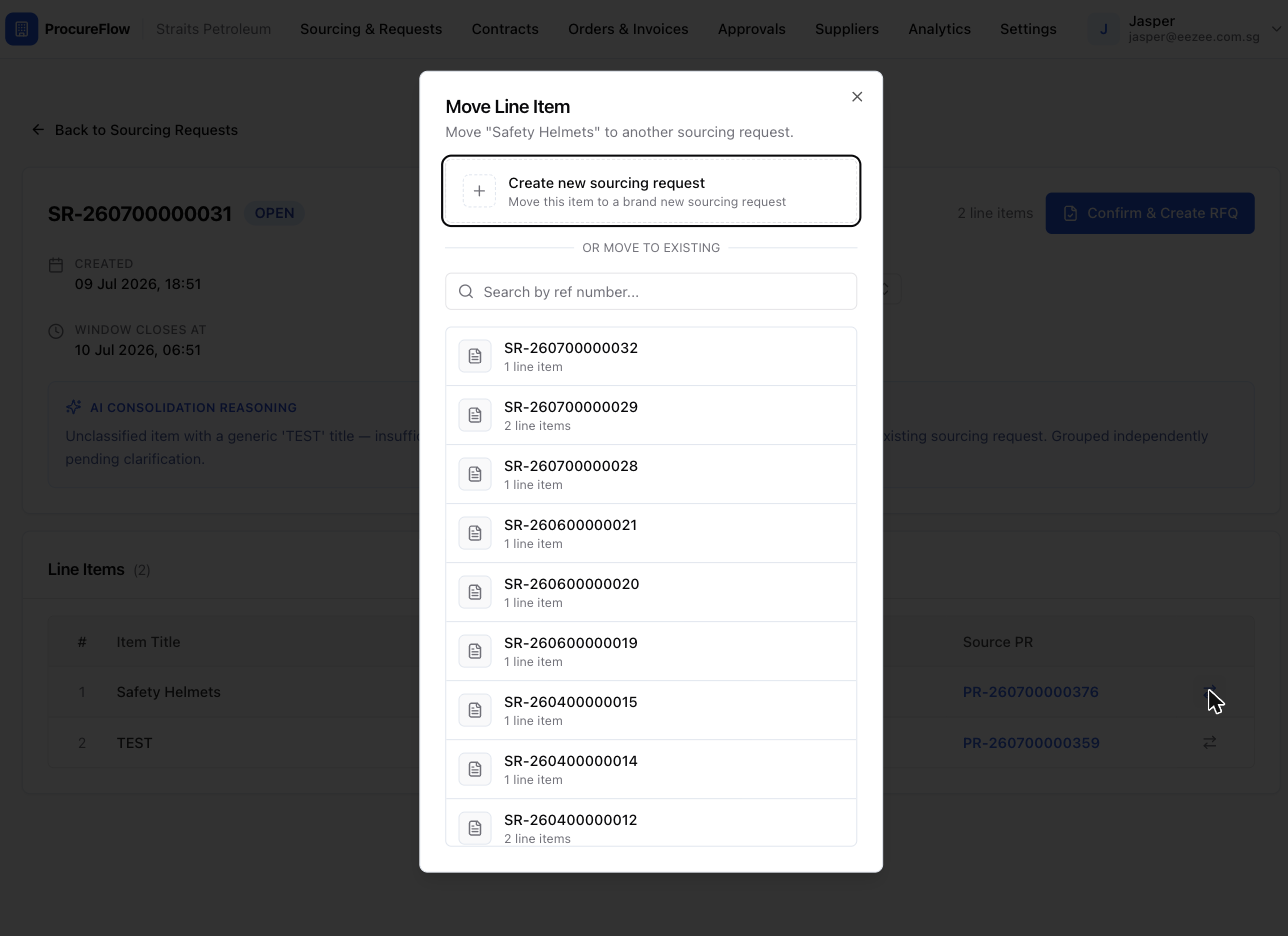
- When the Move Line Item dialog opens, click the "Create new sourcing request" button at the very top of the dialog (above the "OR MOVE TO EXISTING" separator) to spin the line item off into a brand-new SR.
Confirm the new sourcing request is created
The dialog closes and the page refreshes.
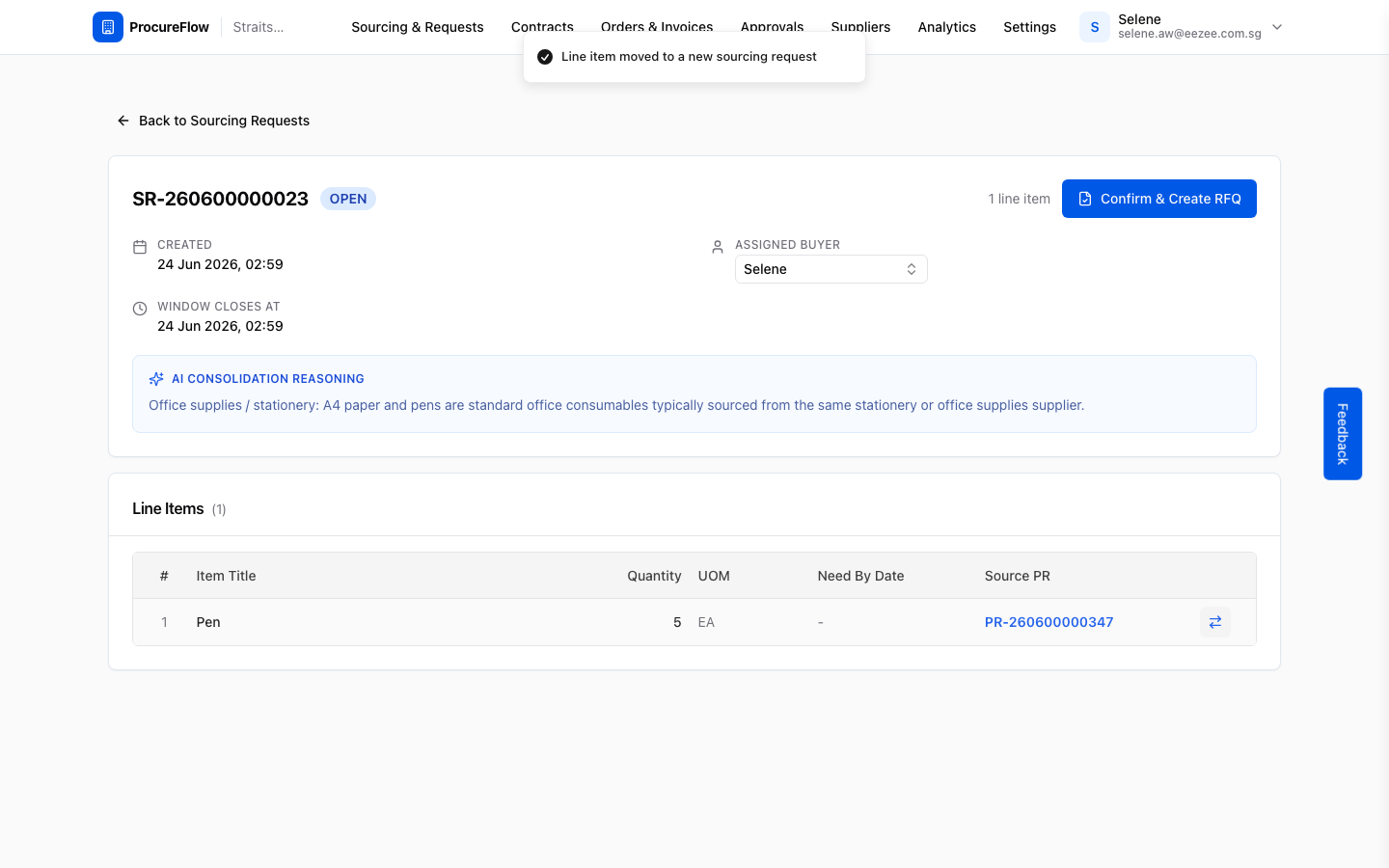
- A success toast confirms "Line item moved to a new sourcing request."
- The source SR now has one fewer line item.
- A new sourcing request (with a new ref number) is created and immediately visible in the Sourcing Requests list.