Catalog Buying
Streamline standardized purchases from pre-approved supplier catalogs
Last updated 6 October 2026
The Catalog Buying workflow is designed for standardized purchases from pre-approved supplier catalogs. When you've already negotiated pricing and established supplier relationships, Catalog Buying lets end users purchase directly without going through a competitive bidding process, while maintaining spend controls through configurable approval workflows.
Process Overview

How It Works
Select a Supplier
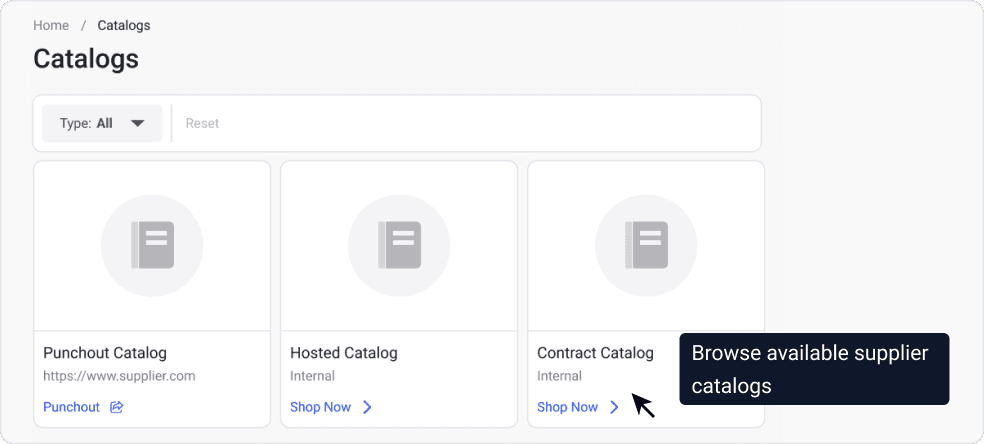
The end user browses available supplier catalogs through the Catalog Buying portal. Available catalogs include:
- Punchout catalogs: Direct connections to supplier e-commerce systems with real-time pricing and availability
- Hosted catalogs: Supplier product lists maintained within ProcureFlow with pre-negotiated pricing
- Contract catalogs: Items available under existing framework agreements
Each catalog displays the supplier's name, product categories, and any special terms (minimum order quantities, lead times, or volume discounts) so users can select the right supplier for their needs.
Add Items to Cart
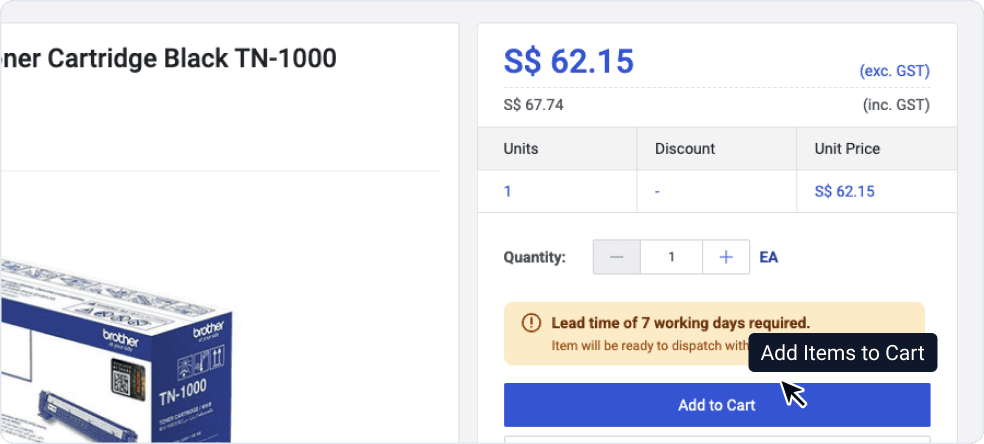
Once inside a supplier's catalog, the end user searches or browses for the items they need. For each item, they can:
- View product details, specifications, and images
- Check real-time pricing (for punchout catalogs) or contracted pricing (for hosted catalogs)
- See estimated delivery dates
- Add quantities to their cart
The cart accumulates items from a single supplier. If users need items from multiple suppliers, they create separate purchase requests for each.
Note: Some catalogs may have minimum order values or quantity requirements. ProcureFlow displays these constraints before checkout so users can adjust their orders accordingly.
Checkout and Raise Purchase Request
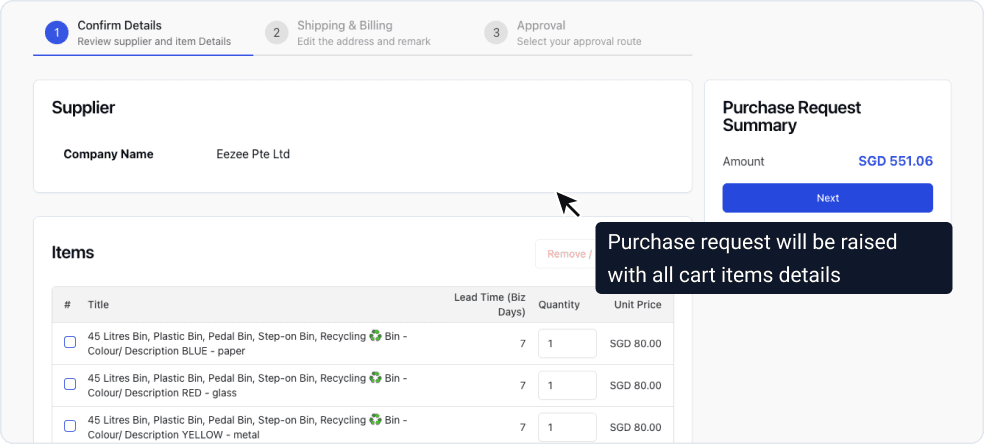
When the cart is complete, the end user proceeds to checkout. The checkout process captures:
- Delivery address: Ship-to location from your organization's address book
- Cost center: For budget allocation and reporting
- Required delivery date: If different from the supplier's default lead time
- Notes or special instructions: Any additional context for the supplier
Upon submission, ProcureFlow creates a Purchase Request (PR) containing all cart items and routes it for approval. The PR includes the full item breakdown, pricing, and any applicable contract references.
Approval Workflow
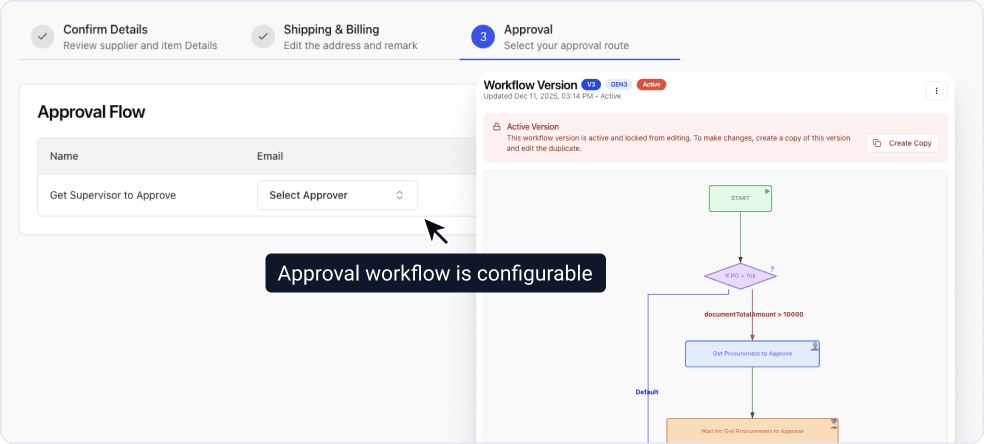
The Purchase Request routes through your organization's approval chain. Approval workflows for catalog purchases are typically streamlined compared to RFQ or Tender processes, but can be configured based on:
| Approval Trigger | Example Configuration |
|---|---|
| Spend threshold | Orders over $1,000 require manager approval |
| Category | IT equipment requires IT department sign-off |
| Budget status | Orders exceeding cost center budget require finance approval |
| Supplier status | New or probationary suppliers require procurement review |
Approvers can review the cart contents, pricing, and any notes from the requester before approving, rejecting, or requesting changes.
Purchase Order Created
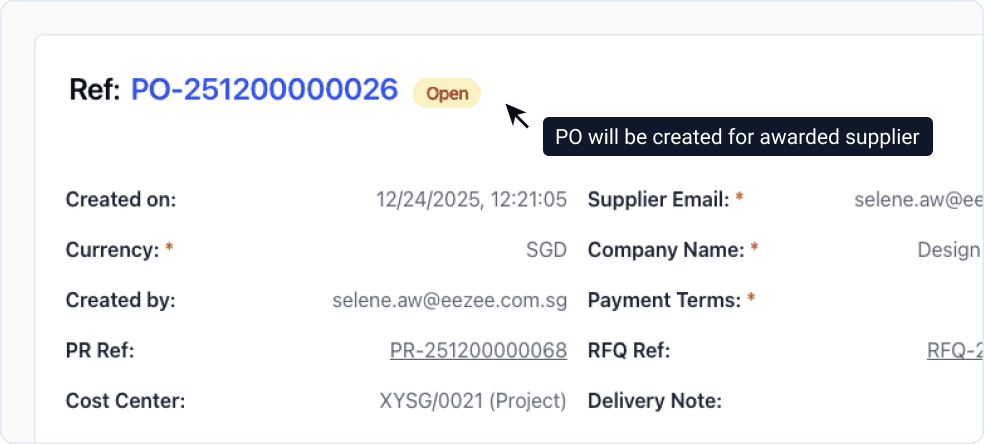
Upon final approval, ProcureFlow automatically generates a Purchase Order and sends it to the supplier. The PO includes:
- Complete item list with quantities and agreed pricing
- Delivery address and required date
- Payment terms from the catalog agreement
- Reference to the Purchase Request for audit trail
For punchout catalogs, the PO is transmitted electronically to the supplier's system. Suppliers confirm receipt and provide order acknowledgment through the portal, completing the procurement cycle.