Automatic Negotiations
Configure negotiation templates to automatically open BAFO rounds and maximise negotiated savings.
Last updated 6 October 2026
Negotiations on Autopilot lets you configure templates that automatically trigger Best and Final Offer (BAFO) rounds for qualifying RFQs. Instead of manually reviewing every RFQ to decide whether to negotiate, the system applies your configured thresholds and opens BAFO rounds when conditions are met — maximising savings opportunities while freeing up your time for strategic work.
Configure Negotiation Templates
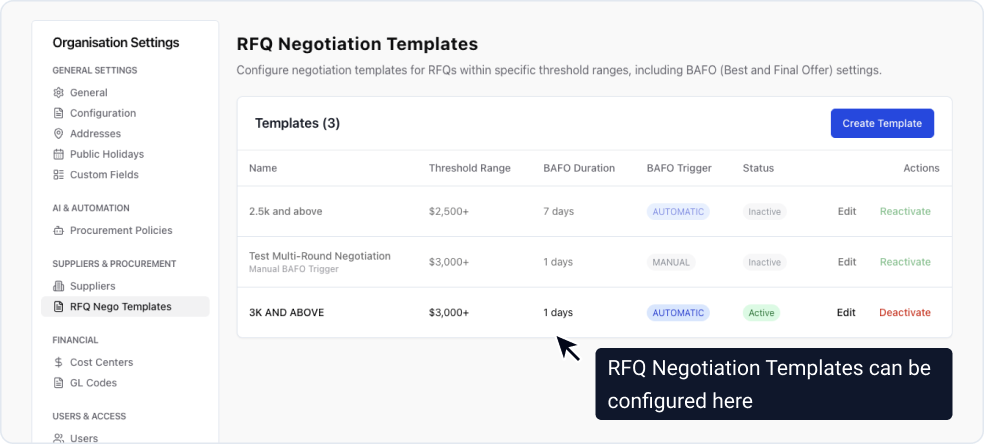
Create negotiation templates in Organisation Settings → RFQ Negotiation Templates. Each template defines:
| Setting | Description |
|---|---|
| Value Thresholds | Minimum and maximum RFQ values for this template to apply. The system uses the lowest competitive bid sum to match against thresholds. |
| BAFO Duration | Number of business days suppliers have to submit their final offers. Public holidays in your organisation's timezone are automatically excluded. |
| Top Suppliers Count | Number of top-ranked suppliers to invite to the BAFO round (e.g. top 3 or top 5). |
| Supplier Weekly Rate Limit | Maximum BAFO invitations a single supplier can receive per week under this template. Prevents supplier fatigue. |
| Trigger Mode | Automatic: System selects suppliers and starts the round immediately. Manual: Sourcing IC receives a notification to review and select suppliers. |
You can create multiple templates with different thresholds. For example, one template for RFQs $10,000–$50,000 with automatic triggering, and another for $50,000–$200,000 with manual review.
System Evaluates Closed RFQs
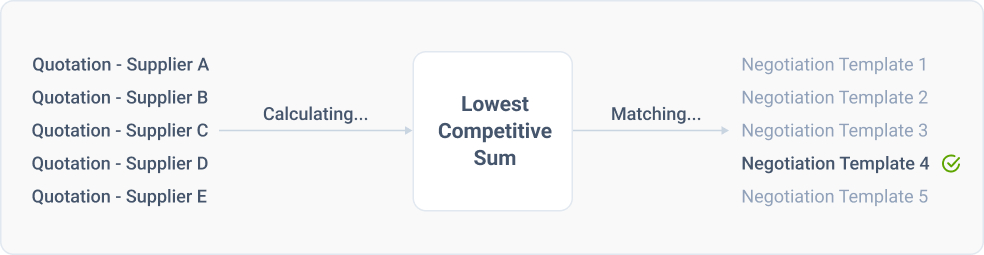
When an RFQ's initial bidding period closes, ProcureFlow automatically:
- Calculates the lowest competitive bid sum by taking the lowest price for each line item across all suppliers with exact matches
- Searches for an active negotiation template where the bid sum falls within the configured thresholds
- If a template matches, creates a BAFO round in "Pending Start" status with calculated dates based on business days
If no template matches, the RFQ proceeds directly to the award stage.
Suppliers Are Selected and Invited
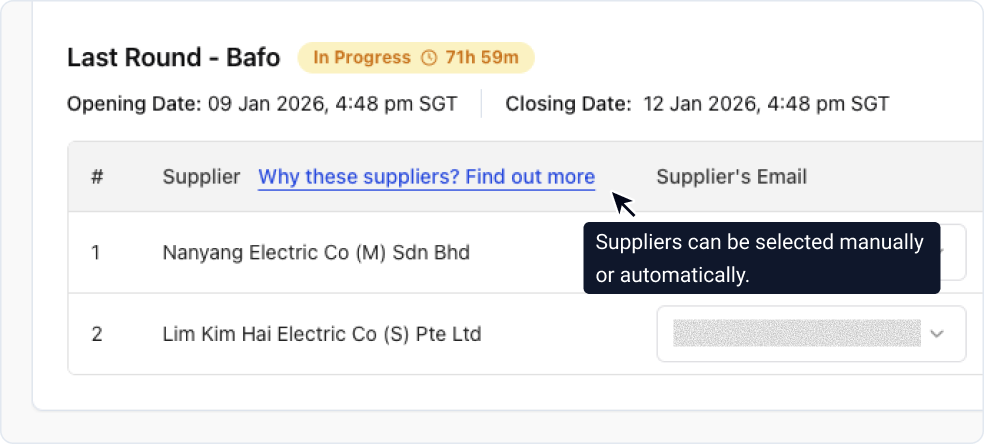
What happens next depends on your template's trigger mode:
Automatic Mode: The system ranks all suppliers using a four-level competitiveness algorithm, then invites the top n suppliers (as configured) while respecting weekly rate limits. The BAFO round starts immediately.
Manual Mode: The sourcing IC receives an email notification with the RFQ details and a link to review supplier quotations. They can then manually select which suppliers to invite before starting the round.
Invited suppliers receive an email with:
- Clear deadline for BAFO submission
- Link to their existing quotation (copied for the new round)
- Reminder that this is their final opportunity to improve pricing
Final Offers Are Consolidated
Once the BAFO deadline passes, ProcureFlow automatically:
- Closes the negotiation round
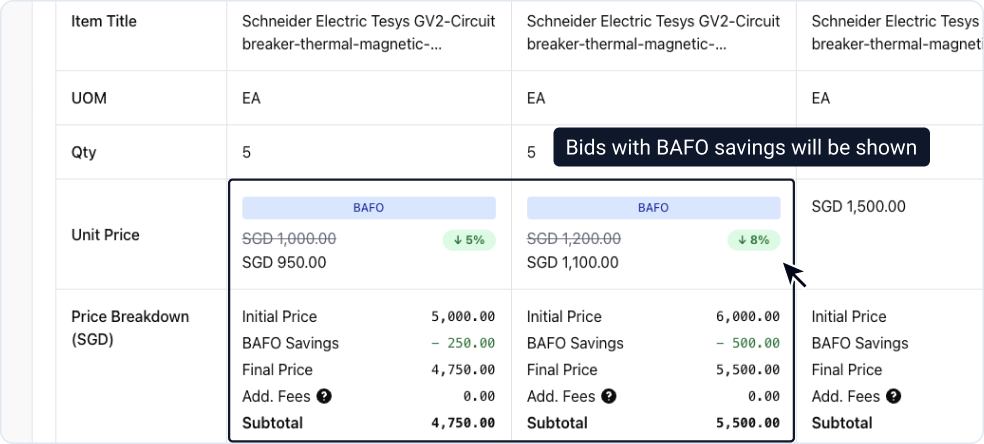
- Compares BAFO pricing against initial bids
- Calculates negotiated savings achieved
- Transitions the RFQ to the award stage
You receive a consolidated view showing which suppliers improved their pricing and by how much, ready for your award decision.