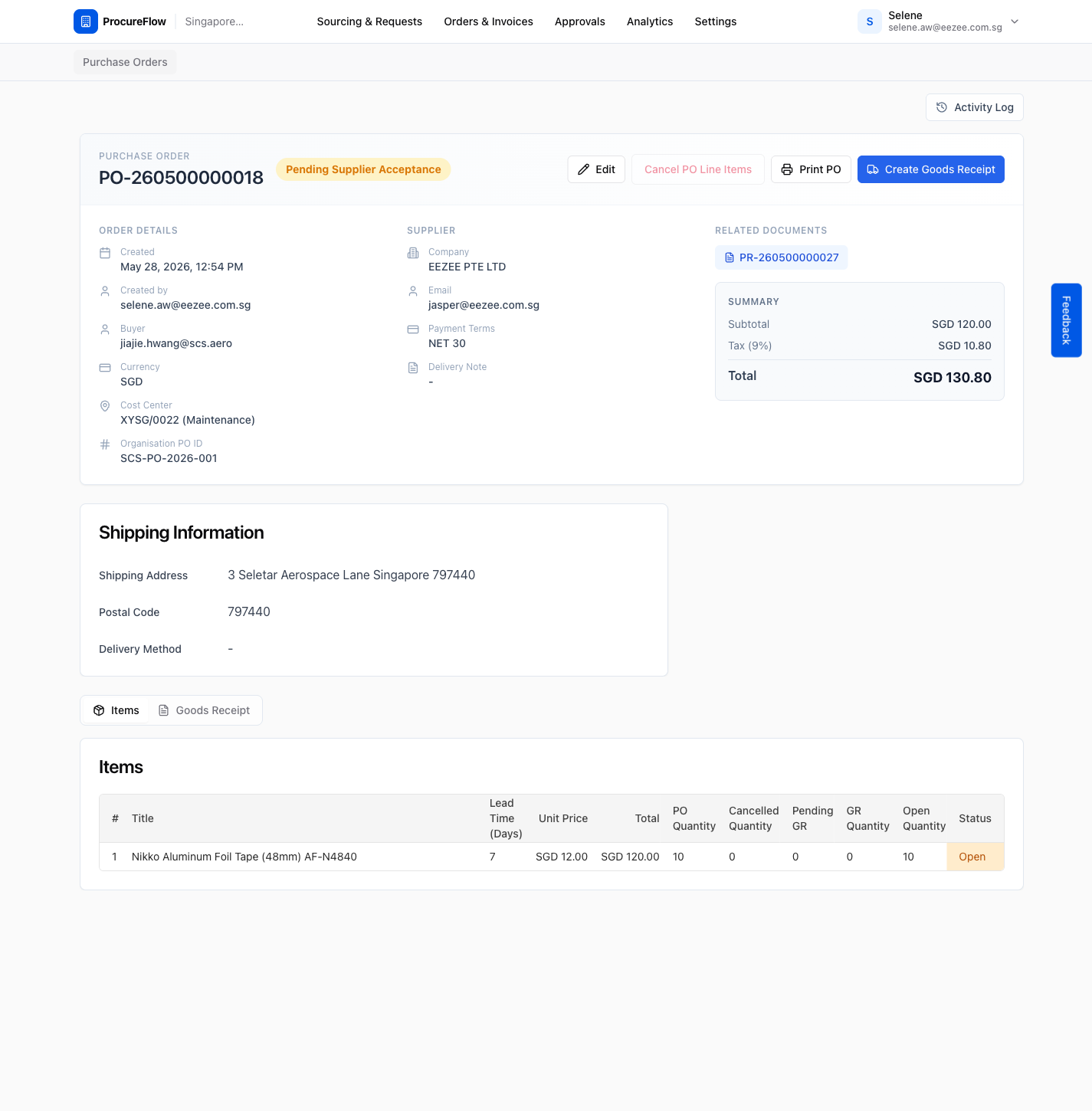
Issue a Purchase Order
After an RFQ evaluation is fully approved, a Purchase Order is created. You assign the Organisation PO ID (from your ERP or purchasing system) and send the PO to the supplier.
Last updated 12 October 2026
Organisation-specific feature
This guide covers issuing a PO with an organisation-specific PO ID. It only applies to organisations that have this feature enabled.
Who can use this?
Available to Procurement Buyer, Procurement Admin, and Admin.
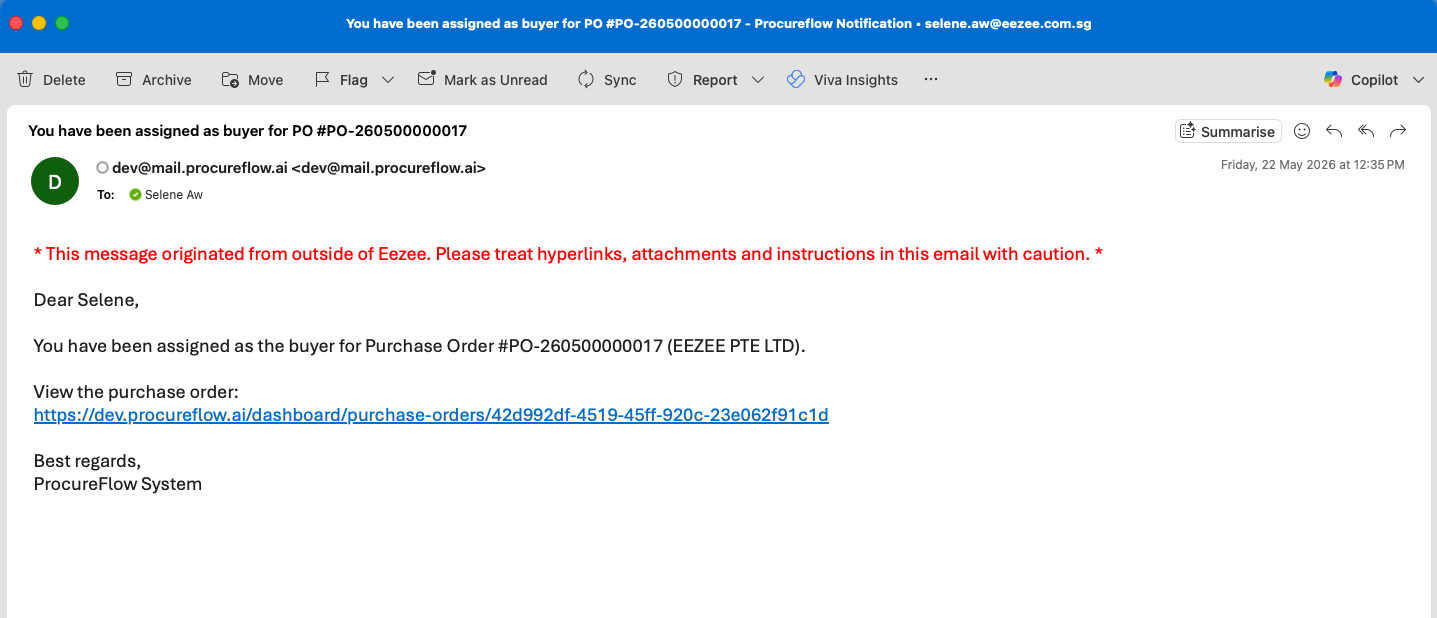
Open the Notification Email and Click the Link
When a PO is created and requires your action, you will receive a system email from ProcureFlow.
Click the link in the email to go directly to the Purchase Order page.
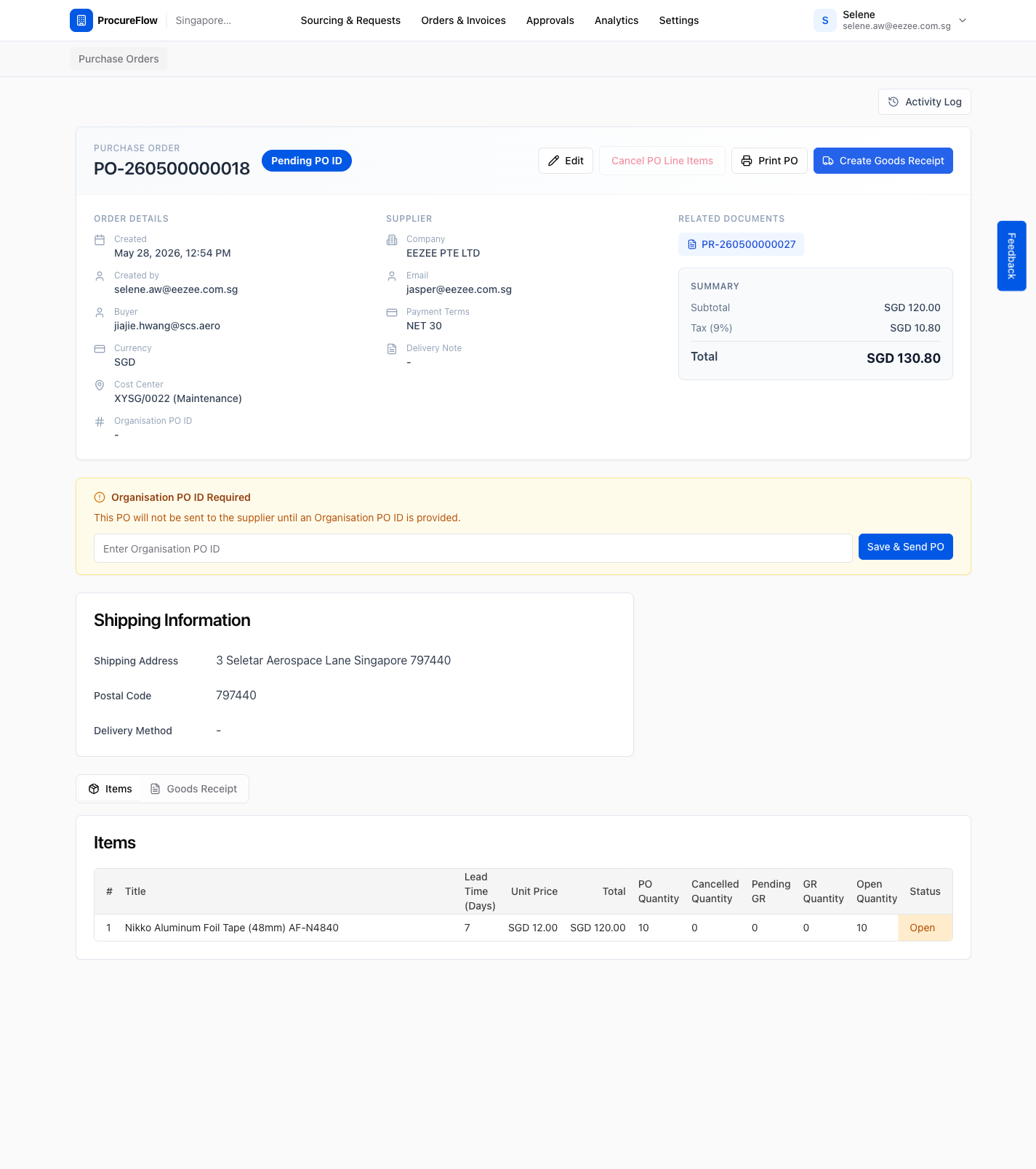
Open the PO requiring an Org PO ID
The link opens the PO detail page. It shows all order information:
- Supplier details
- Line items
- Related PR
- The Organisation PO ID Required banner at the top right
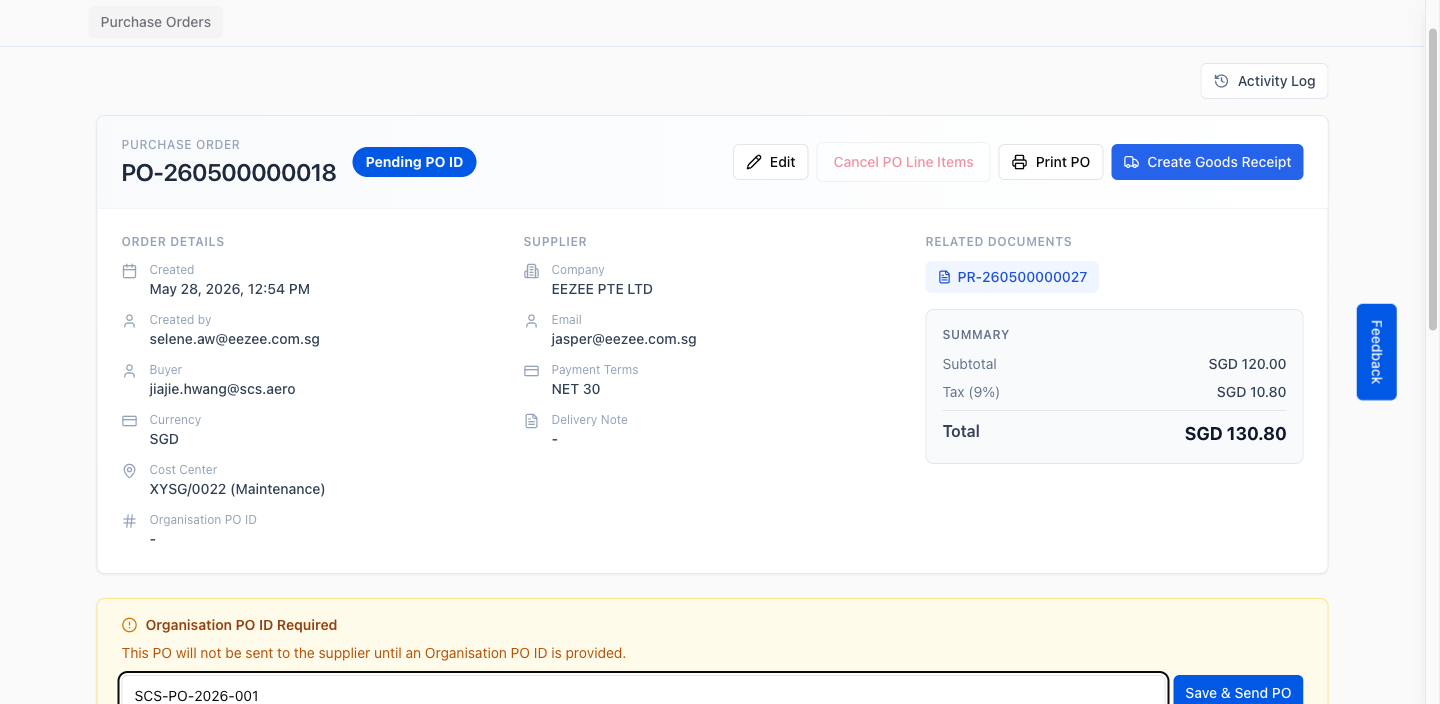
Enter the Organisation PO ID
In the Organisation PO ID Required panel on the right side, enter your organisation's PO number in the Enter Organisation PO ID field.
This is the PO reference number from your internal ERP or purchasing system (e.g., SCS-PO-2026-001).
Click 'Save & Send PO' to send to supplier
Click the Save & Send PO button. This does two things:
- The PO is saved with the Org PO ID and immediately sent to the supplier via email.
- The PO status changes to Pending Supplier Acceptance.