Compliance Agent
AI-powered assistant that ensures every award decision is documented with specific, auditable justifications.
Last updated 25 October 2026
When your team processes thousands of purchase requests a year, verifying that every award decision is properly justified becomes a bottleneck. The Compliance Agent replaces the standard justification text box with an interactive conversation that ensures every decision is backed by specific, auditable reasoning.
Rather than accepting whatever a requester types into a free-text field, the Compliance Agent cross-references their claims against the actual supplier submissions. If something doesn't add up, it flags the inconsistency and asks follow-up questions until the justification is airtight.
Threshold Activation
When an RFQ crosses a predefined value threshold (for example, $50,000), ProcureFlow automatically replaces the standard justification text box with the Compliance Agent. Instead of typing a free-form reason, the requester enters an interactive conversation focused on compliance.
You configure the threshold in Organisation Settings. Any RFQ below the threshold uses the standard justification text box. Any RFQ at or above the threshold triggers the Compliance Agent.
Select Your Decision and Reason
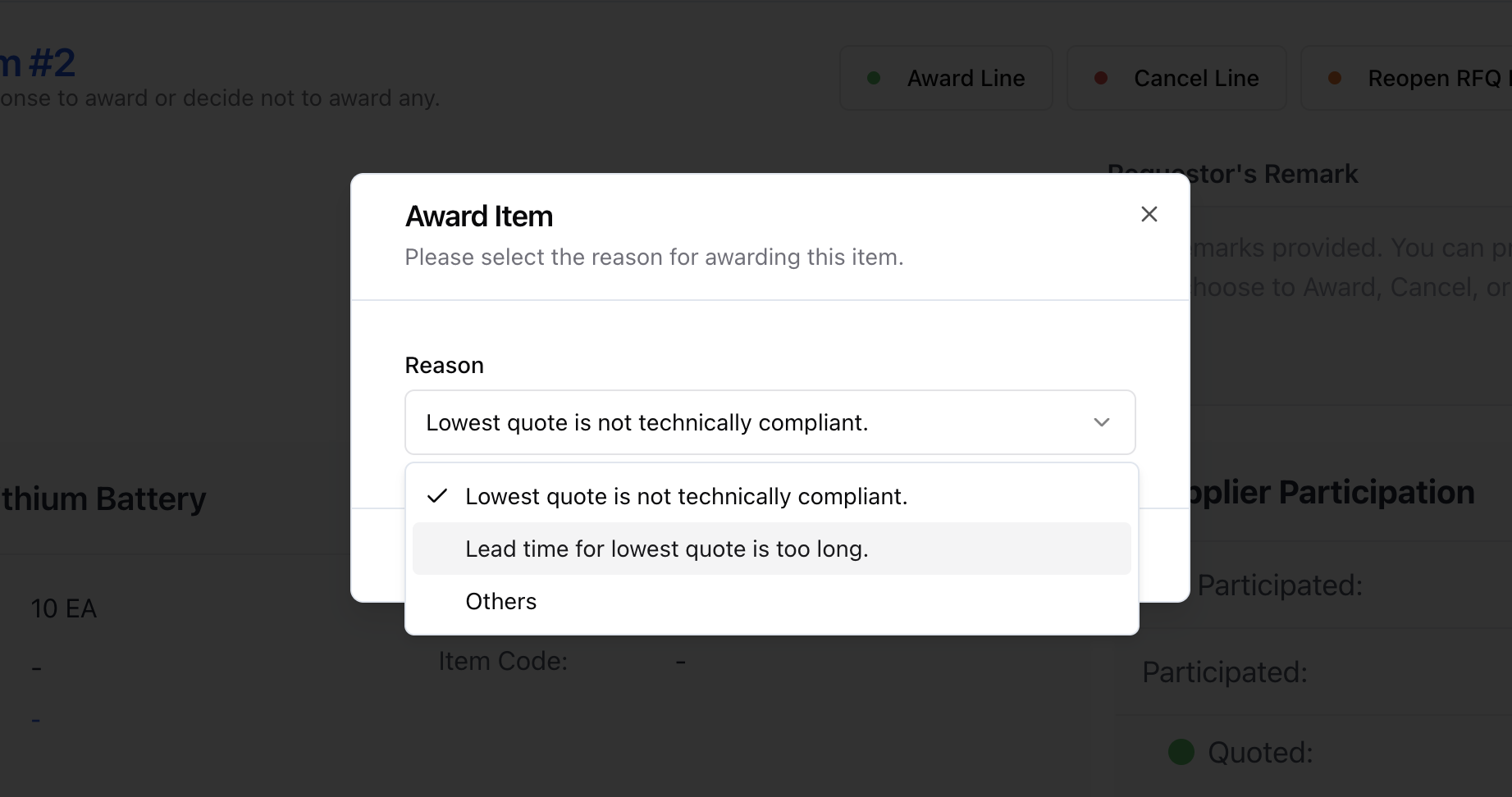
When evaluating a line item, you select your decision (award, cancel, or reopen) and choose a reason. ProcureFlow provides predefined reasons based on your decision type. Your selected reason sets the direction for the conversation so the agent's questions stay focused and relevant.
When awarding to the lowest-ranked supplier (Rank 1), the justification is straightforward and the agent keeps it brief. No lengthy Q&A is needed.
Interactive Q&A with Document Verification
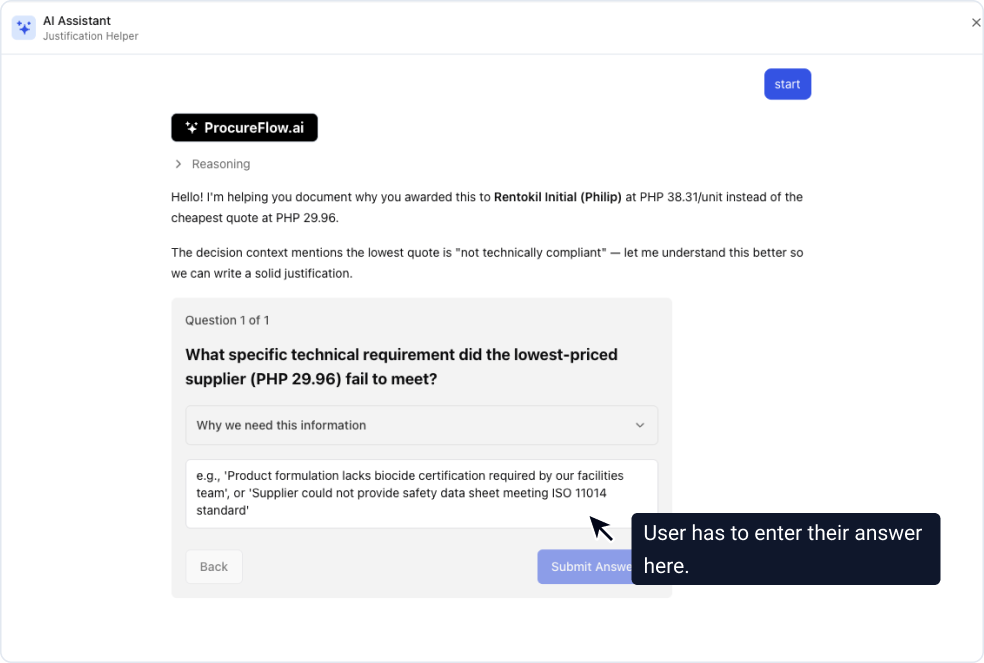
The Compliance Agent goes beyond asking questions. It actively checks the documents and data that suppliers submitted, then compares your stated reasons against the ground truth.
If the agent spots an inconsistency, it flags the issue and asks for clarification. For example, if you claim a supplier lacks an ISO 9001 certification, but the agent cannot find (or confirm) that certification in the supplier's submission, it will call that out and ask you to clarify before proceeding.
This back-and-forth continues until the agent is satisfied that your reasoning is consistent with the actual submission data.
When bid masking is enabled for your organisation, the Compliance Agent uses relative cost positioning (e.g. "15% above the lowest bid") instead of exact prices, preserving confidentiality in the justification.
Next Steps and Draft Justification

Once the conversation is complete, the agent identifies the appropriate next steps. These might include actions like reaching out to all suppliers to request a missing document (e.g. "No supplier included an ISO 9001 certificate; request it from all bidders to ensure a fair comparison").
The agent then generates a concise, compliance-ready justification grounded in actual data from your RFQ: pricing, delivery timelines, and supplier quotations.
You can:
- Accept the draft and apply it directly to the evaluation
- Request changes with feedback, and the agent will revise
Every claim in the justification is traceable to data in the system, not generic boilerplate.
Enabling the Compliance Agent
The Compliance Agent can be enabled per organisation and configured with a value threshold. An admin can toggle this setting and set the threshold in Organisation Settings.