Award Optimiser
Compare scenarios against your procurement constraints, preview the breakdown by supplier, and apply the winning split with an audit-ready justification.
Last updated 25 October 2026
Comparing bids across dozens of suppliers and hundreds of line items by hand is slow and error-prone. Award Optimiser tests every combination against the constraints that reflect your procurement policies, so you can compare scenarios side by side before committing.
Coming soon
Linking Award Optimiser directly to your RFQs and Tenders, so you can build one from a live sourcing event instead of a spreadsheet, is on our roadmap.
Create an Award Optimisation and Load the Bid Matrix
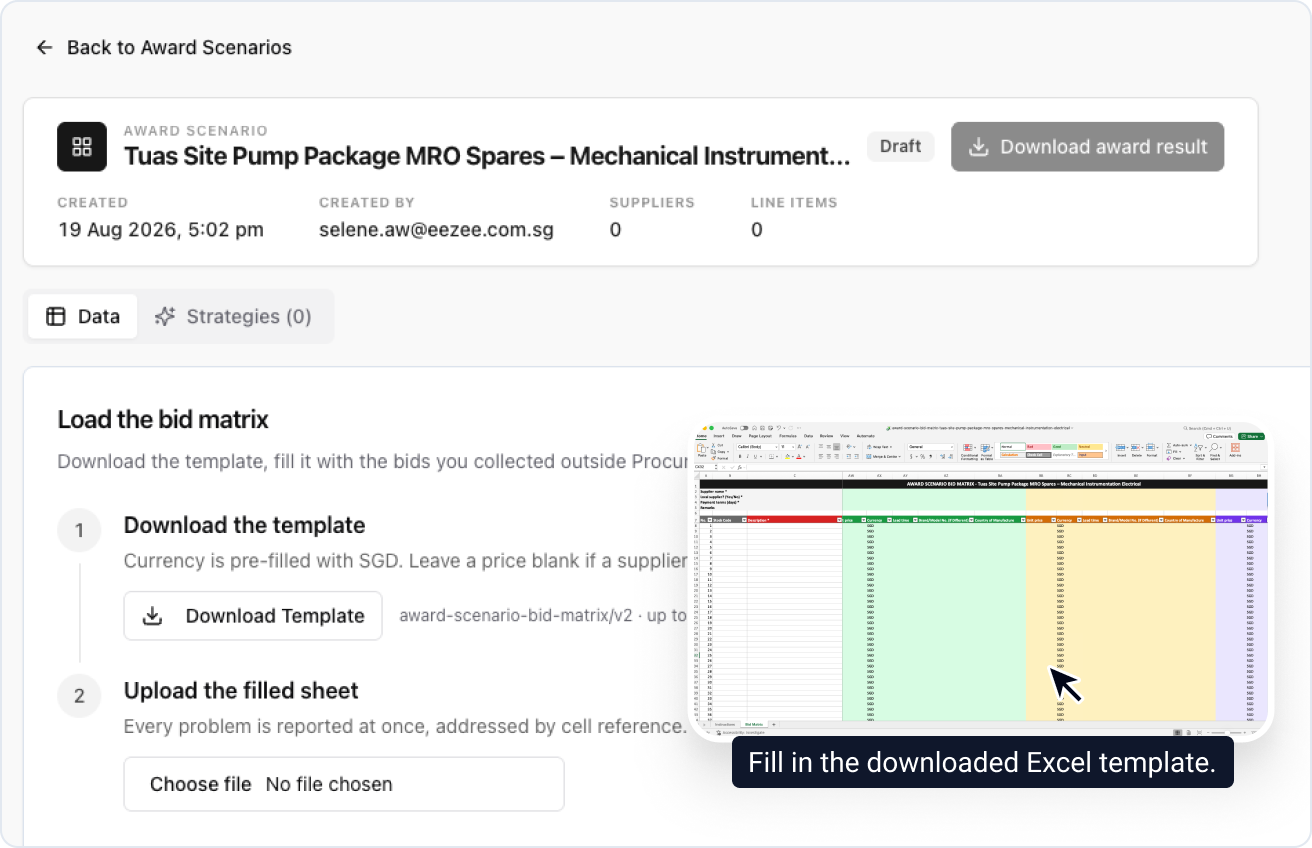
A new award optimisation starts in Draft, empty. The template holds up to 20 supplier columns, and every problem in the filled sheet is reported at once, by cell reference, before anything is committed.
Review the Loaded Bid Matrix
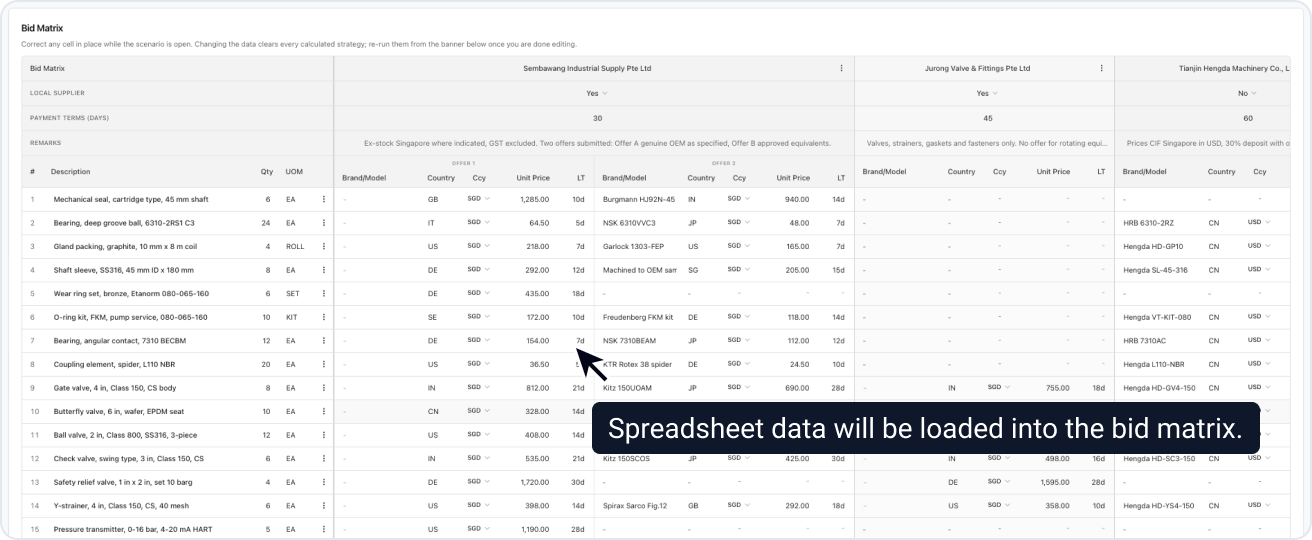
The award optimisation is now Open and the sheet has become the Bid Matrix. Three scenarios come ready to run:
- Lowest Price (Unconstrained): the lowest total cost, with no constraints.
- Lowest Price, Technically Compliant: the lowest total cost once bids marked not technically compliant are excluded.
- Max 3 Suppliers, Lowest Price, Technically Compliant: the lowest total cost across at most three suppliers, excluding bids marked not technically compliant.
Exchange rates are pinned at upload, so every scenario converts identically. Cells stay editable for as long as the award optimisation is Open.
Editing the bid matrix clears every calculated scenario's result. A banner tells you how many are out of date; click Re-run all to recalculate.
Build a Scenario
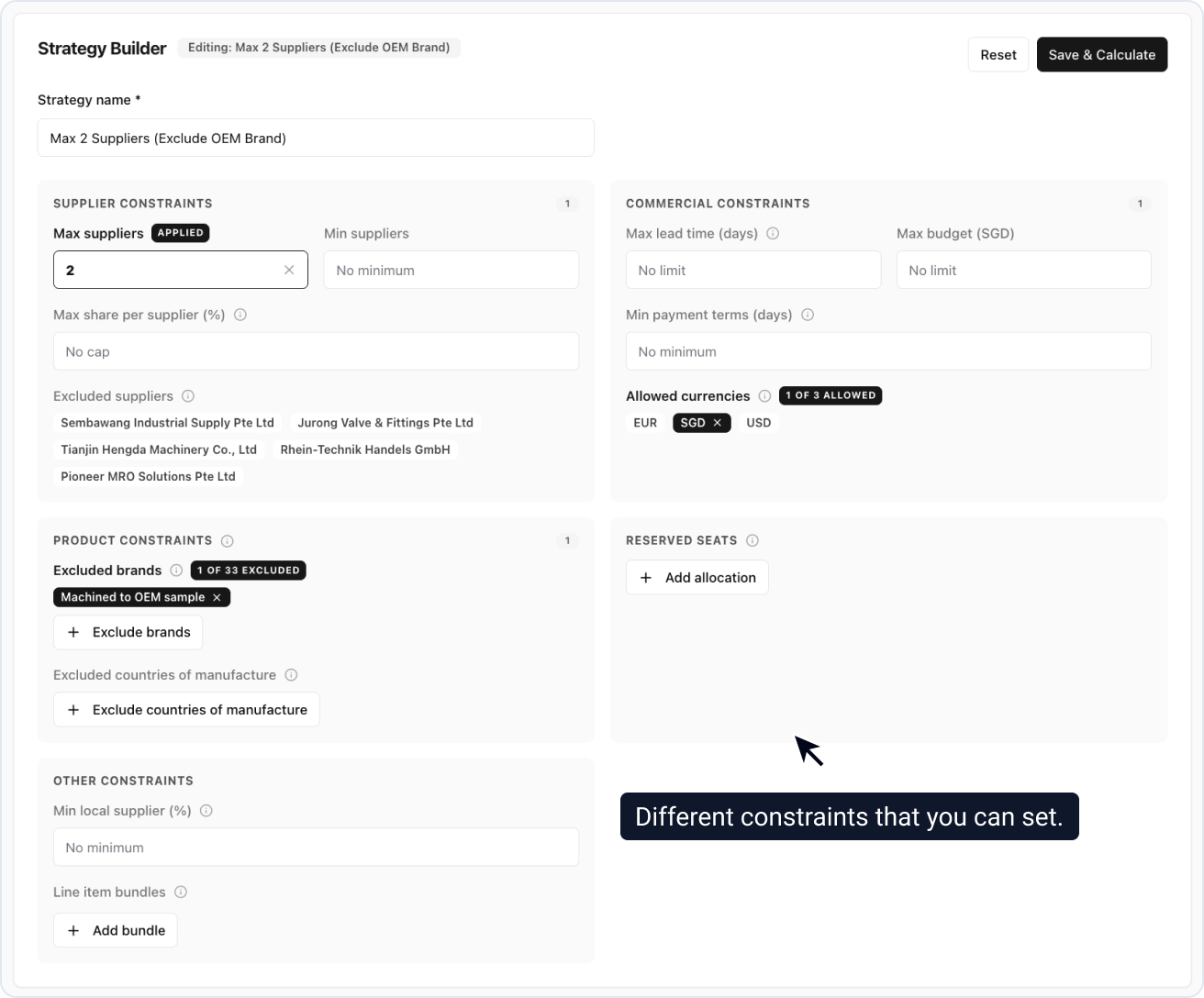
The solver targets the lowest total cost while satisfying every constraint at once. A combination that cannot be satisfied comes back marked infeasible.
You get up to 10 scenarios per award optimisation, the two defaults included.
Preview the Award Breakdown
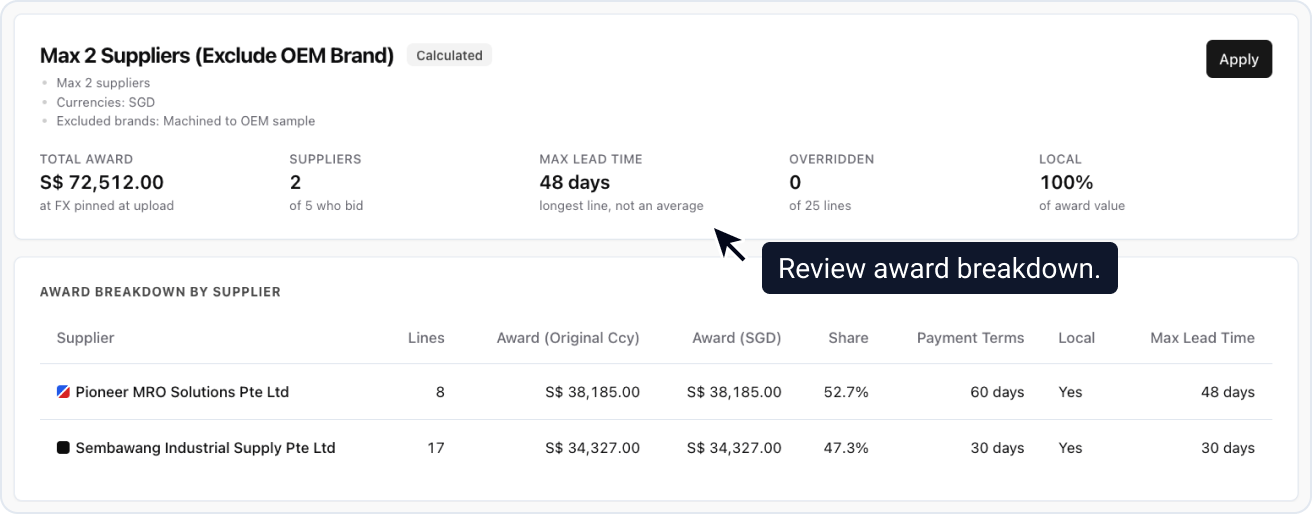
Max lead time is the longest awarded line, not an average.
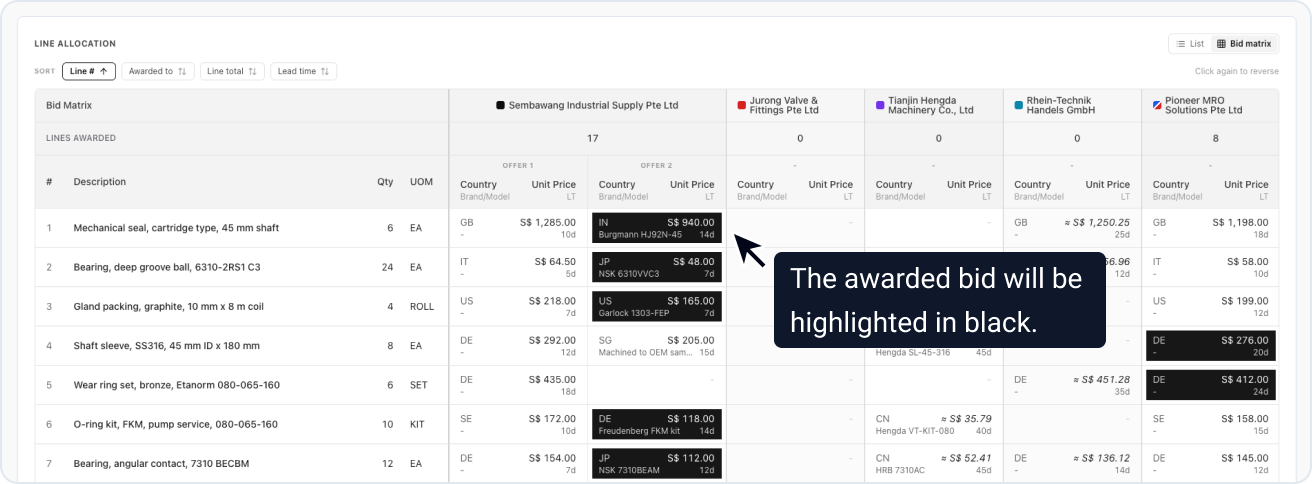
The Bid matrix toggle shows the same result as a grid. Any line can be overridden with a reason, up until the scenario is applied.
Compare Scenarios Side by Side
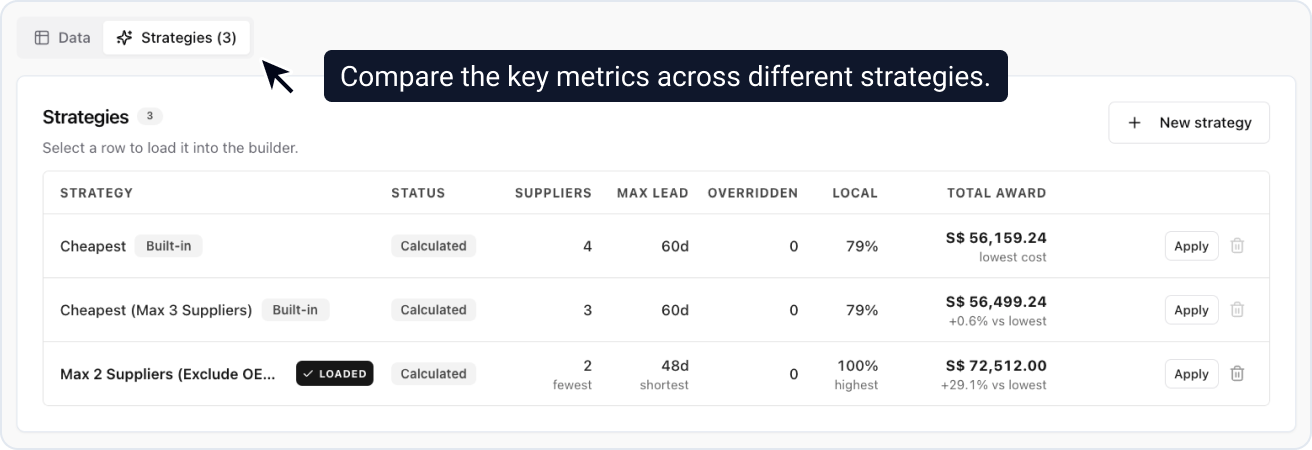
Each scenario shows its gap to the cheapest, so the price of a policy is explicit. Selecting a row loads it into the builder and breakdown below, putting the trade-off in place: fewer suppliers set against a longer lead time.
Apply Your Chosen Scenario
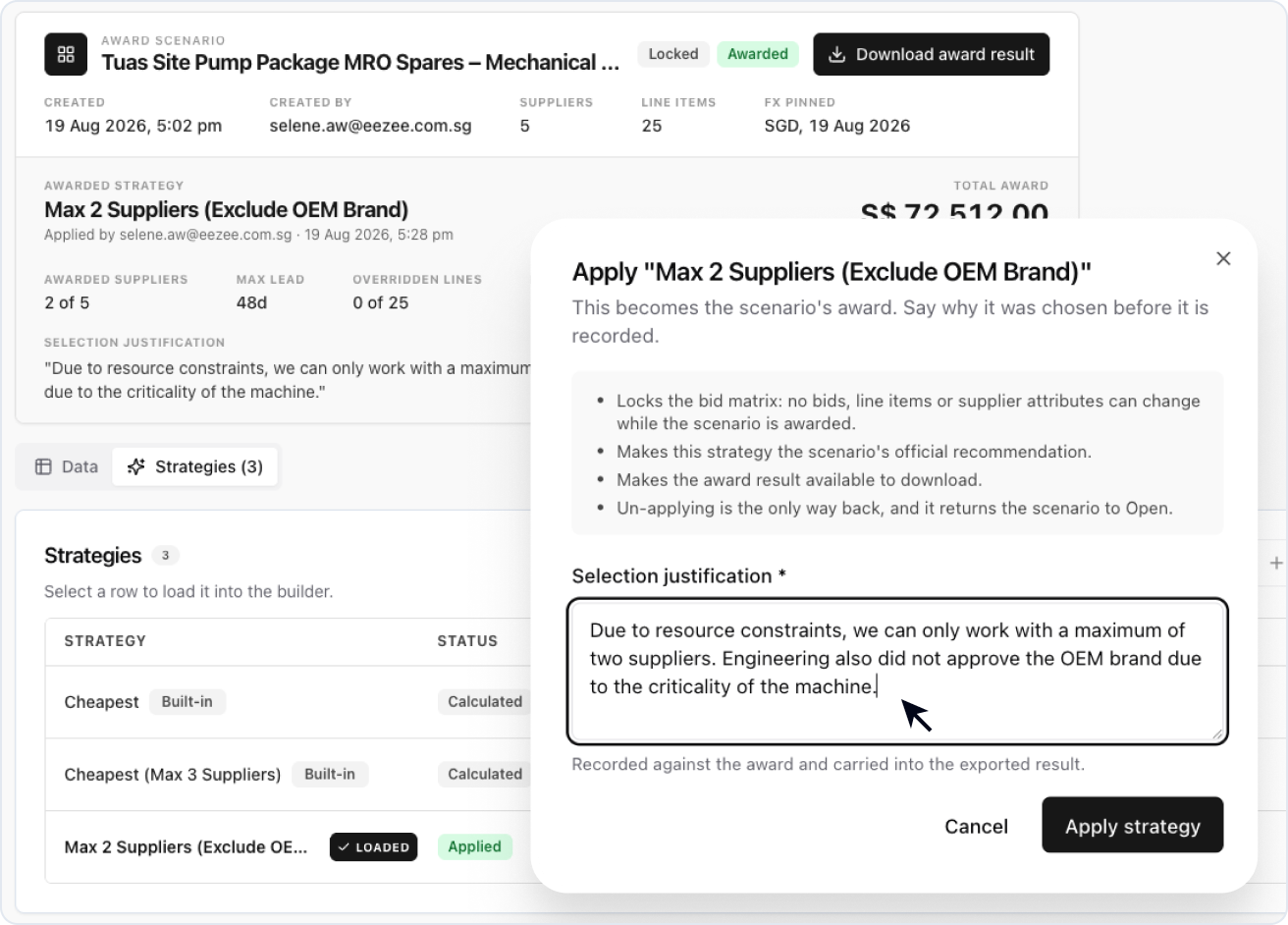
When you choose to apply a scenario as the winning award, ProcureFlow asks for a Selection justification and records it alongside the decision. The bid matrix locks, and this scenario becomes the official award recommendation.
You are not locked in: apply a different scenario to replace this one, or Un-apply to reopen the bid matrix for editing.
Download the Award Result

Once a scenario is applied, the full award is available as an Excel workbook, ready to share with stakeholders or file for audit.