Create a Payment Run
Group payable invoices into a single payment run, download the bank payment request, and mark the run as settled once paid.
Last updated 12 October 2026
Who can use this?
Available to Finance Manager users only. Buyers, approvers, and other roles do not have access to Payment Runs.
Open Payment Runs
From the Orders & Invoices section in the left sidebar, click Payment Runs.
The list shows all payment runs for your organisation with their reference number, status, and dates.
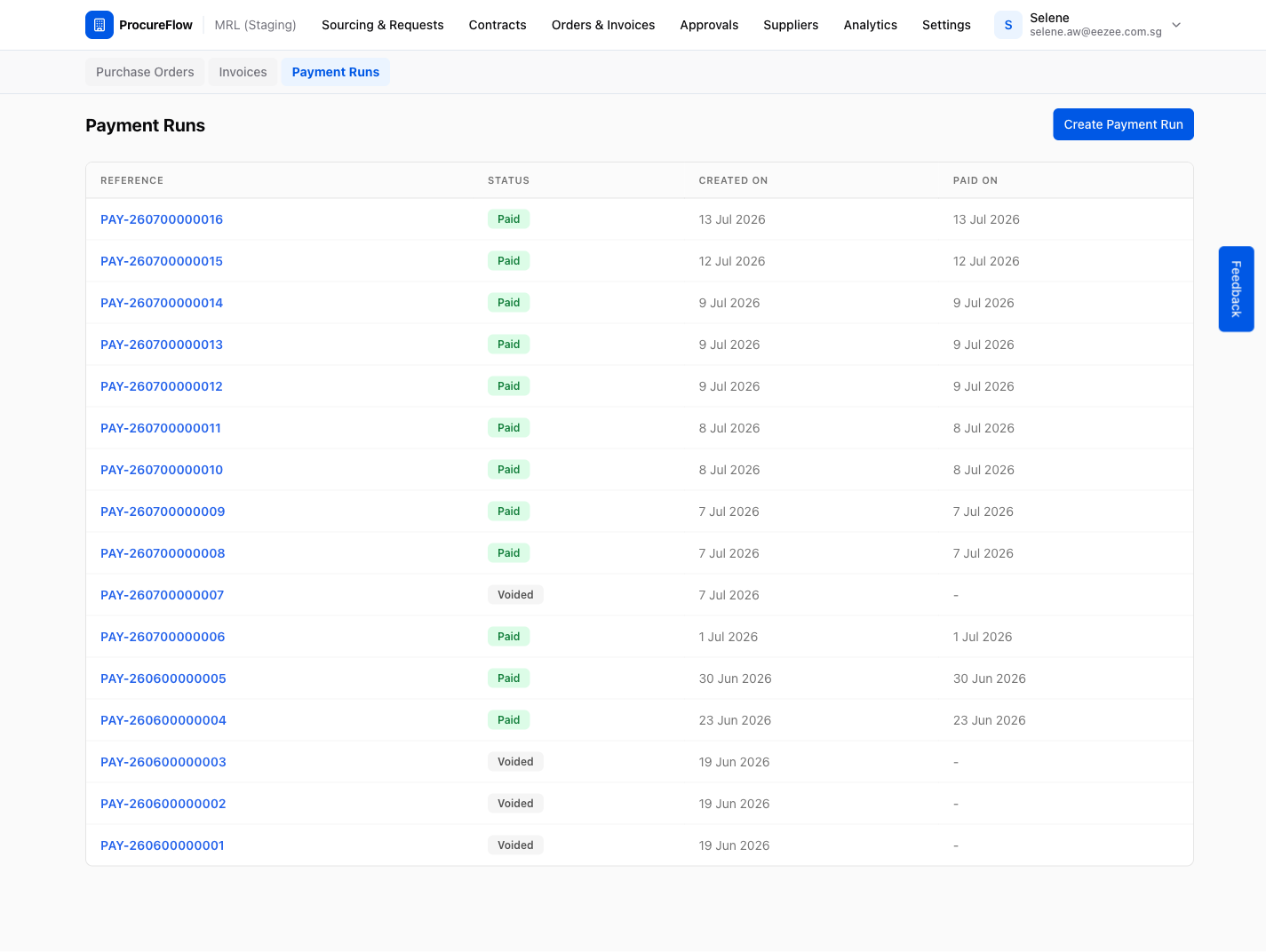
Click Create Payment Run
Click the Create Payment Run button in the top-right corner to open the creation form.
Only invoices that have completed 3-way matching (MATCHED status) and are not yet on another run appear here.
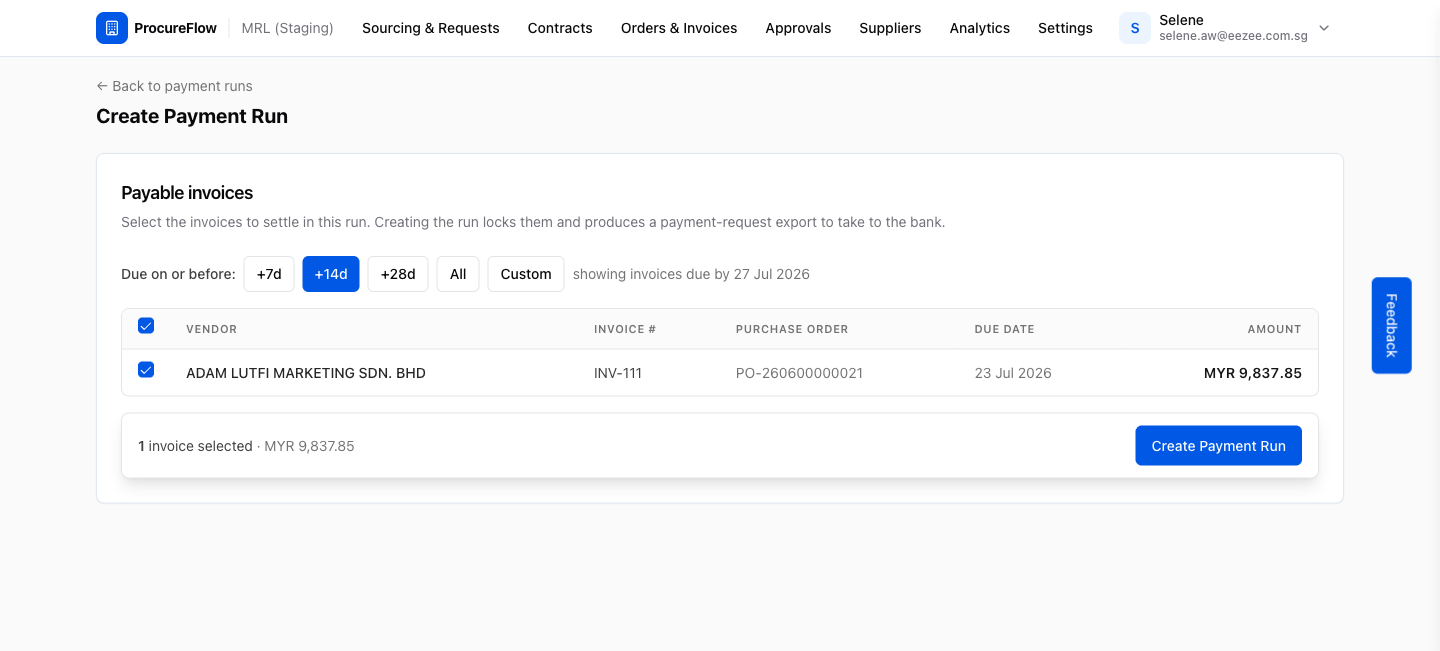
Filter invoices by due date
Use the Due on or before filter to scope the run. The +14d preset is selected by default, showing invoices due within the next 14 days. The other presets are +7d, +28d, All, or a Custom date.
All invoices matching the filter are auto-selected.
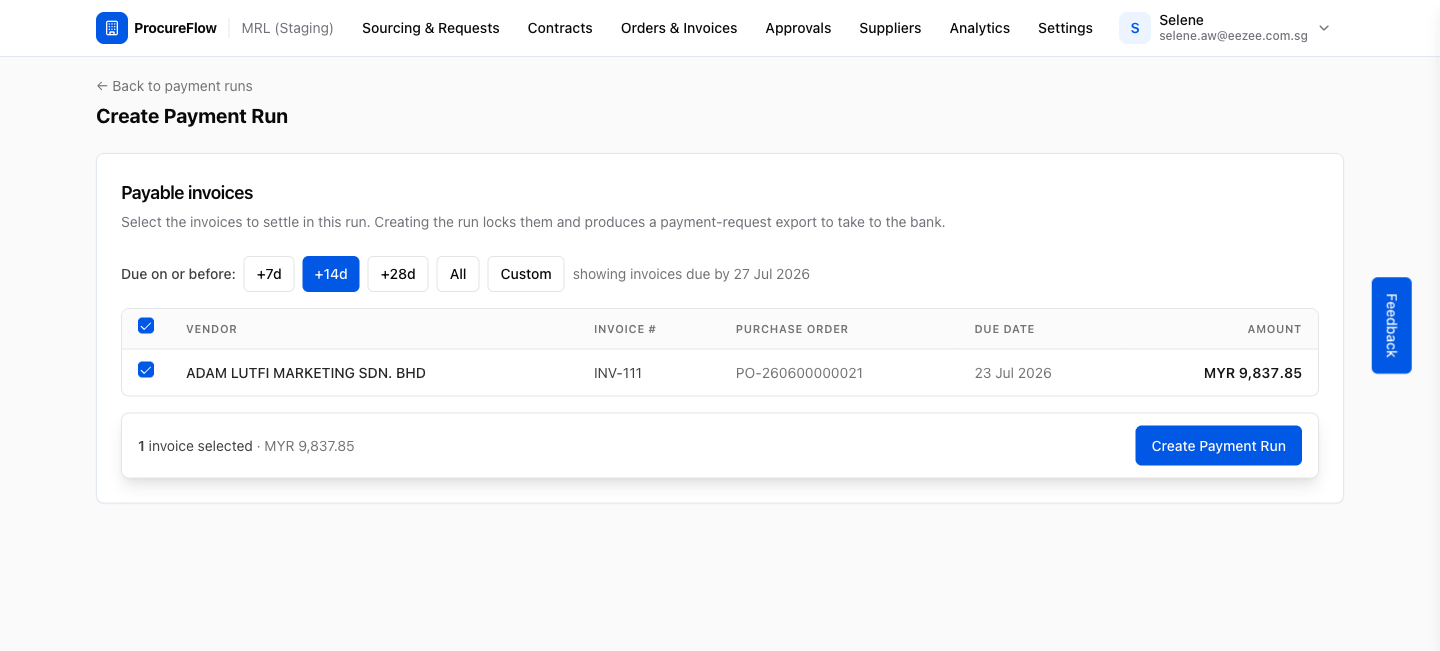
Review and adjust invoice selection
All invoices within the filter are pre-ticked.
Uncheck any invoice you want to exclude from this run (for example, invoices under dispute or those your bank requires to be batched separately).
The sticky bar at the bottom shows the running total and invoice count.
Confirm creation
Click Create Payment Run in the sticky bar at the bottom of the screen.
The selected invoices are immediately locked: they cannot be added to another run while this one is pending. You are redirected to the run detail page.
Review the payment run detail
The detail page shows:
- The run reference number (e.g. PAY-260700000017)
- Its Pending status
- The invoices included
- Action buttons along the top
From here you can download exports, mark the run as paid, or void it.
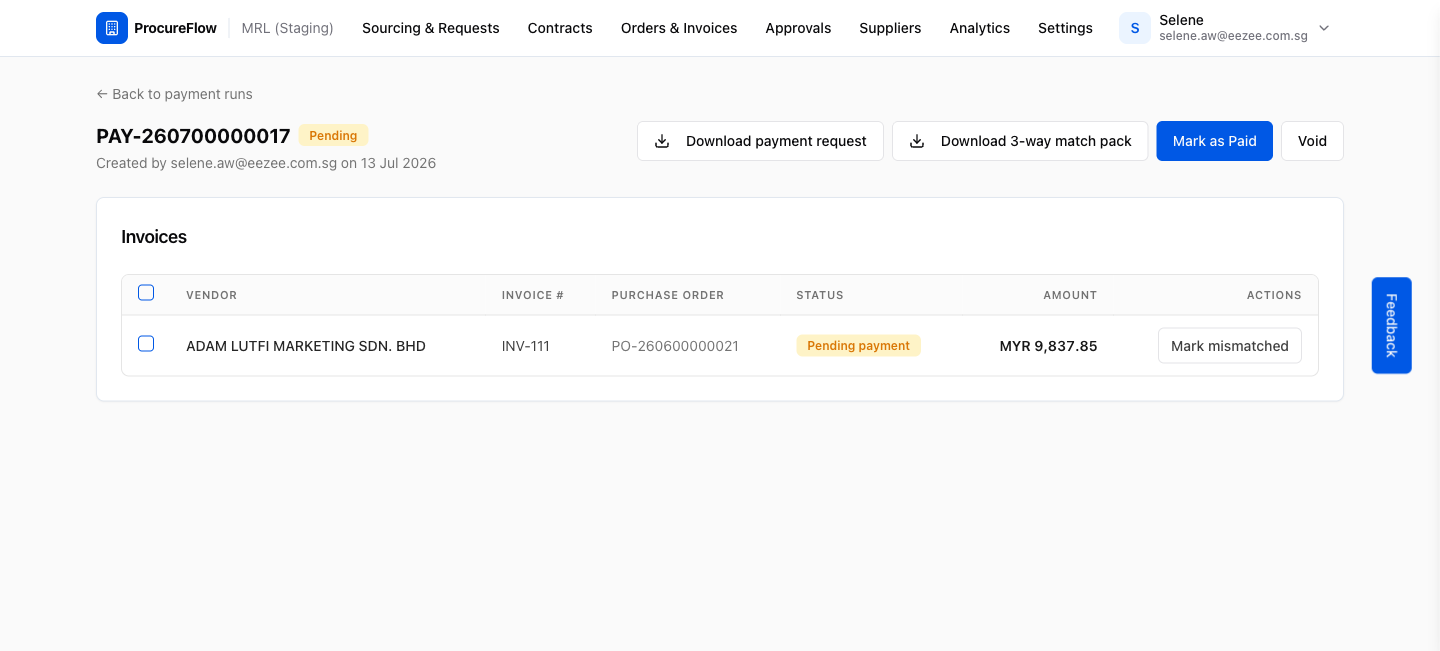
Download the payment request
From the run detail page you have two export options:
- Click Download payment request to export a CSV file you can upload to your bank's payment portal.
- Click Download 3-way match pack to download a ZIP of the supporting documents (PO, goods receipt, and invoice) for each line item.